TYPOGRAPHY GUIDE
How to Identify a Font From an Image: 6 Methods That Work
Six ways to name the type in a poster, logo, screenshot, or PDF — what each method is genuinely good at, where it fails, and how to tell when the answer is that it was never a font at all.
Before You Search: Decide What You Are Actually Looking At
Most font hunts fail at the first step, because people ask software to name something that was never typed. Lettering on screen and in print falls into three buckets, and each one needs a different method:
- Text set in a retail or open-source typeface. Someone installed a font file and typed. This is identifiable, often exactly, and every method below applies.
- A typeface that has been modified. A designer set the words, then stretched, sheared, added a bevel, swapped an a for a swash alternate, or hand-fixed the spacing. Shape matching will get you the base family and the differences will look like errors — they are not.
- Custom lettering, drawn once. Most film logos, band logos, and beverage wordmarks live here. There is no font. The honest answer is a description of the style plus the closest available lookalike.
A fast sanity test: look for repeated letters. If both es in a word are pixel-identical, you are almost certainly looking at a font. If they differ in the curve of the terminal or the thickness of the crossbar, someone drew them.
The six methods below are ordered by how often they apply, not by reliability. If you already know what your source material is, jump straight to the row that matches it:
| What you have | Start here | Confidence |
|---|---|---|
| Live text on a web page | DevTools rendered fonts | Definitive |
| A PDF with selectable text | Document Properties, Fonts tab | Definitive |
| A screenshot or photo of lettering | Shape matching | Strong to moderate |
| A published poster, cover, or ad | Reverse image search, then Fonts In Use | Varies |
| A movie, game, or band logo | Franchise replica fonts, then ask a community | Style-level match |
| Pre-1990 print, or non-Latin script | TypeDrawers | Often definitive |
| Outlined SVG or a scanned image | Shape matching only | Moderate |
Method 1: Browser-Based Shape Matching
Shape matching is the only method that works on an image with no metadata, no source URL, and no context — a photo of a shop sign, a frame grab, a screenshot someone sent you. It renders candidate fonts in the same letters you typed and scores how closely the outlines overlap.
Our font identifier does this against 1,837 Google Fonts families plus 316 pop-culture fonts, entirely inside your browser — the image is never uploaded, so it is safe for client work and unreleased designs. The workflow:
- Upload a PNG, JPEG, or WebP of the lettering.
- Crop tightly around one word — the flattest, straightest word in the image.
- Type the letters exactly as they appear, matching capitalization. An uppercase R and a lowercase r are unrelated shapes.
- Read the ranked results and compare each one side by side with your crop.
Where it is strong: clean, high-contrast display type at a decent size. Sans-serif grotesques, geometric faces, slab serifs, and anything with distinctive letterforms.
Where it fails: curved or arched text, heavy drop shadows and bevels, text over busy photographs, crops under about 50 pixels of cap height, connected script, and fonts outside the index. A score of 100 is not proof — it means the outlines matched, and two different foundries can ship near-identical grotesques. Treat every result as evidence to verify, not a verdict.
Method 2: Read the CSS in DevTools (Web Text Only)
If the lettering is live text on a web page, stop guessing. The browser will tell you the exact family name, and this is the only method that gives you a definitive answer in under a minute.
Chrome and Edge — the important part is the rendered font, not the declared stack:
- Right-click the text and choose Inspect.
- In the Elements panel, make sure the text's own element is selected (not a wrapper div).
- Open the Computed tab in the sidebar and scroll to the very bottom.
- Under Rendered Fonts you will see the family that actually drew the glyphs, plus the glyph count. A stack may declare five fallbacks; this tells you which one won on your machine.
Firefox is arguably better at this: Inspect the element, then open the Fonts tab. It lists every font used in the selection, shows whether each is a system font or a downloaded web font, gives the source URL for web fonts, and exposes any variable-font axes in use.
Safari: enable Develop in Settings, then Web Inspector, Elements, and the Fonts sidebar tab.
Two extra tricks worth knowing. First, the Network panel: filter to Font, reload the page, and you will see the actual .woff2 files downloading — the filenames often contain the family name outright. Second, if the text is SVG, check the element: a <text> node still carries a font-family, but a <path> means the type was converted to outlines and no name survives anywhere in the file.
The limits: designers ship obfuscated or hashed filenames; subsetted fonts sometimes carry a renamed family; and a licensed web font you find this way is licensed to that site — knowing its name does not give you the right to use it. See our font licensing guide.
Method 3: Check the Font Properties in a PDF
PDFs are the easiest wins in font identification, because a properly made PDF carries a manifest of every font embedded in it. Nobody has to guess.
- Adobe Acrobat Reader (free): open the file and press Ctrl+D (Windows) or Cmd+D (Mac) for Document Properties, then the Fonts tab. You get a list of every embedded font with its type — Type 1, TrueType, or CID — and its encoding.
- Command line: if you have Poppler installed,
pdffonts yourfile.pdfprints the same list in one line each, including whether each font is embedded or merely referenced.
One detail that confuses almost everyone the first time: you will see names like ABCDEF+Gotham-Bold. That six-letter prefix and plus sign mean the font is subsetted — only the glyphs actually used were embedded. Strip the prefix and the plus sign, and Gotham-Bold is your answer. You may also see PostScript names such as HelveticaNeue-CondensedBlack, which tell you the family plus the exact width and weight.
Where it fails: a PDF exported with all type converted to outlines lists no fonts at all, and a PDF that is really just a scan lists nothing because there is no text. In both cases, screenshot the lettering and fall back to Method 1.
Method 4: Google Lens and Reverse Image Search
This is the most misunderstood method, so be clear about what it does. Google Lens and reverse image search do not analyze letterforms. They find the image, or images that look like it, elsewhere on the web.
That is still extremely useful, just indirectly. If you reverse-search a film poster or an album cover, you will often land on a design blog, a studio case study, or a Fonts In Use entry where someone already did the work and named the typeface. You are outsourcing the identification to whoever wrote about it first.
How to get the most out of it: search the largest, least-cropped version of the image you can find, and try both Google Lens and a second engine — Bing Visual Search and Yandex frequently surface different results, and Yandex is unusually good at finding near-duplicate images.
Where it fails: anything unpublished, a photo you took yourself, a local business sign, or a screenshot from a small app. If the image is not already on the web with commentary attached, this method returns nothing useful, and Lens will confidently offer you visually similar posters instead of a font name.
Method 5: Ask a Community That Does This for Fun
Human identification still beats software on the hard cases — modified type, obscure foundries, pre-digital metal and phototype faces, and anything where the answer requires knowing design history. There are people who genuinely enjoy this.
- r/identifythisfont — the most active place for this, and the fastest. Answers often arrive within an hour.
- r/typography — broader discussion; better for "what family is this style from" than for a single-word ID.
- TypeDrawers — where professional type designers and foundry staff talk. Worth using when the font is likely historical, obscure, or non-Latin. Be respectful of the signal-to-noise ratio there; it is not a request desk.
- Fonts In Use — not a request forum but a searchable, editorially curated archive of typefaces identified in real designs, browsable by industry, format, and typeface. Search it before you ask anyone.
One honest correction to older advice you will still find online: Typophile is frequently recommended as the place to ask, and its archived threads remain a genuinely valuable reference. The forum itself has been offline for years, though, and TypeDrawers is where that community moved. Do not wait for a reply there.
To get a good answer: post the biggest, sharpest image you have; say where it came from and roughly when it was made; and list what you have already ruled out. "Is this Futura?" gets ignored. "1974 German book cover, geometric sans, note the single-story a and the pointed apex on the A, not Futura because the t has a slanted terminal" gets three answers.
Method 6: Work Backwards From the Design Context
When shape matching returns nothing and nobody recognizes it, reason about who made it and what they had access to. This is slower but solves cases the other five cannot.
- Date it. A 1998 corporate report was almost certainly set in something available on CD from a major foundry. A 2023 startup site is overwhelmingly likely to use a Google Font or one of about thirty fashionable independent-foundry faces.
- Find the brand guidelines. Universities, governments, and large companies publish brand manuals as public PDFs that name their typefaces outright. Search for the organization plus "brand guidelines pdf" or "visual identity pdf".
- Find the designer. Studios write up their own work. A Behance or studio case study for a rebrand usually names the type, and often credits the foundry.
- Follow the "similar to" chain. Once you have a near-match family, look at that foundry's other releases and at faces that inspired it. Type designers cluster — a face that looks almost right is often a revival or a competitor of the one you want.
Where it fails: it produces a strong hypothesis, not a confirmation. Always finish by rendering your candidate in the same words and comparing it against the original at high magnification.
When the Answer Is: It Was Never a Font
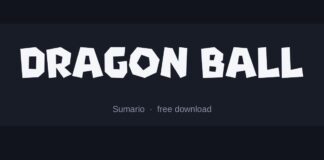
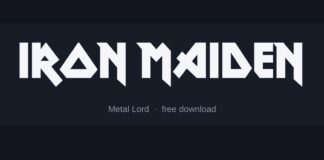
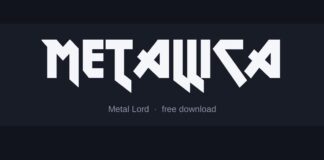
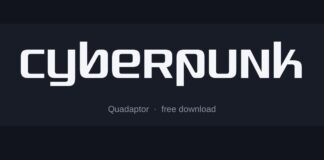
Accepting this early saves hours. Film logos, sports team marks, most beverage and confectionery wordmarks, and the majority of band logos were drawn as artwork for one specific use. The letters were never a typeface, so no identifier can name them, and every tool that claims to has actually matched you to a fan-made replica.
That is not a dead end — it is just a different job. Replica fonts exist precisely because so many iconic logos are custom lettering, and a good replica captures the style closely enough for a thumbnail, a poster, or fan art. You can preview any of the 316 pop-culture fonts in our library through the font generator, or browse them by franchise at font generators.
Two things to keep straight if the design is going anywhere public. A replica font is a separate piece of software with its own licence, which may or may not permit commercial use. And the logo itself is usually a registered trademark — a licence to use the font is not permission to reproduce someone's brand mark. Our font licensing guide covers where that line sits.
Frequently asked questions
What is the most accurate way to identify a font?
If the text is live on a web page or embedded in a PDF, reading the font name from DevTools or the PDF's document properties is definitive — the file tells you outright. For images with no metadata, browser-based shape matching is the most accurate approach, but it produces ranked candidates you should verify by eye rather than a guaranteed answer.
Can you identify a font from a photo?
Yes, if the photo is sharp and reasonably straight-on. Crop tightly around a single flat word, aim for letters at least 50 pixels tall, and prefer high contrast between the lettering and its background. Curved signage, extreme angles, and heavy shadows all distort the letterforms enough to throw off a shape match.
How do I find out what font a website uses?
Right-click the text, choose Inspect, then look at the Computed tab in Chrome or Edge and scroll to the Rendered Fonts section at the bottom. Firefox's Inspector has a dedicated Fonts tab that lists the fonts actually used and links to the downloaded web font files. This tells you the name, not usage rights — a commercial web font remains licensed to that site.
Why does the identifier say a font is a match when it clearly is not?
Shape matchers score outline overlap, and a lot of typefaces genuinely have near-identical skeletons — dozens of grotesques differ only in tiny details. A high score means the shapes lined up, not that you have the right foundry. Compare the distinctive letters yourself: look at the terminals, the g, the a, and the numerals.
Can I identify the font in a movie logo?
Usually not, because most film logos are custom lettering drawn for one campaign rather than text set in a typeface. What you can find is the style and the closest replica font. Where a logo is genuinely based on an existing typeface, that is documented and worth citing — but assume custom lettering until you find evidence otherwise.
Is there a way to identify a font without uploading my image anywhere?
Yes. Our font identifier runs the entire matching pipeline in your browser against a locally downloaded index, so the image never reaches a server. That matters if you are checking a client's brand assets, unreleased artwork, or anything covered by an NDA.
What does the six-letter prefix in a PDF font name mean?
It marks a subsetted font. When only some glyphs get embedded, the PDF renames the font with a random six-letter tag and a plus sign — so ABCDEF+Gotham-Bold is simply Gotham Bold with a partial character set. Strip everything up to and including the plus sign to get the real family name.
Where should I ask if the tools cannot identify it?
r/identifythisfont is the fastest and most active place. For historical, obscure, or non-Latin type, TypeDrawers is where professional type designers gather. Search the Fonts In Use archive before posting anywhere, and include a large image, the approximate date and origin, and whatever you have already ruled out.
Does knowing a font's name mean I can use it?
No. Identification and licensing are separate questions. The font you identified may be commercial, free for personal use only, or open source, and if it forms part of a logo the mark itself may be trademarked regardless of the font's licence. Check the specific licence before using it in anything published or sold.